Top Apps
WiFi Analyzer: Speed Test
Fast Budget - Expense Manager
All Sats Frequencies - WikiSat
Music Maker & AI Vocal Remover
Audio Convert Text Transcribe
Prayer Times and Qibla
Voice Changer & Sound Effects
Adblock Fast Browser Pro
Dating and Chat - iHappy
Adobe Express: AI Photo, Video
Cash Prizes - Earn Money App
Mail: Email, Cloud, Calendar
Vmake: AI Talking Video Editor
TorrDroid - Torrent Downloader
Edraak
Apps Zone
All Rights Reserved © Apps Zone 2026

PowerDirector - Video Editor
Edit Your Videos Like a Pro with Ease
Cyberlink Corp
Review (4.3)
Reviews
+2M
Downloads
+100M
Security
Safe
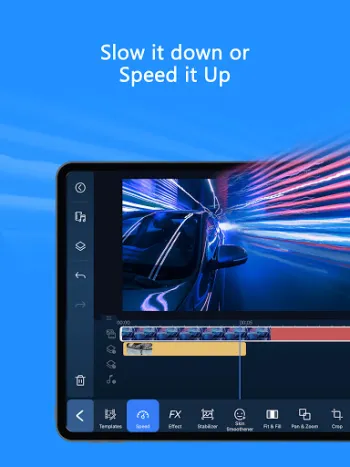
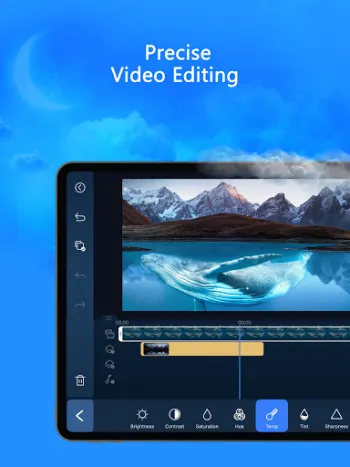
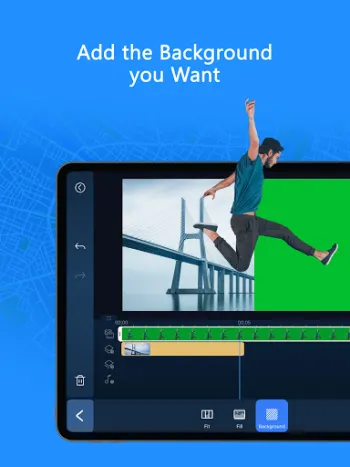
Advanced AI-Powered Video Editing Capabilities
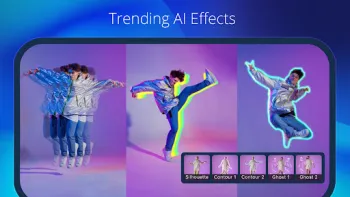
In the realm of professional mobile video editing, harnessing artificial intelligence (AI) has transformed the capabilities and efficiency of content creation. One of the industry-leading apps that exemplify this shift is PowerDirector, an AI-driven video editor designed to empower users with advanced features that enable the creation of visually compelling and professionally polished videos directly from their mobile devices. Unlike traditional video editors that rely heavily on manual intervention and intricate timelines, PowerDirector integrates several intelligent AI modules that simplify and elevate the editing workflow. These include AI Auto Edit, which automatically analyzes raw footage to identify the most impactful moments and seamlessly assembles them into coherent narratives or engaging social media clips using customizable templates. This feature effectively eliminates the time-consuming process of manually sifting through footage, thereby accelerating the production cycle without compromising quality. Complementing this are AI Image-to-Video templates such as AI Dance and AI Kissing, which creatively interpret static images and transform them into dynamic video sequences. These AI animations are powered by sophisticated pattern recognition algorithms that mimic human motion and interaction styles, resulting in appealing video effects that captivate viewers on platforms like TikTok and Instagram. The inclusion of AI Portrait filters, borrowing artistic styles from renowned animation studios such as Ghibli and Disney, showcases a fusion of machine learning and artistic rendering techniques. These filters analyze facial contours, lighting conditions, and expression dynamics to recreate the appearance of hand-drawn or computer-animated characters, delivering a unique aesthetic directly from the mobile device. Moreover, advanced AI functions such as AI Video Enhancer, AI Voice Changer, and AI Speech Enhancement provide post-processing capabilities that improve video clarity, manipulate audio profiles, and refine speech audio, respectively. These enhancements use deep learning models trained on large datasets to identify and reduce noise, correct audio imbalances, and synthetically modify voices for creative or accessibility purposes. Other intelligent functionalities like AI Smart Cutout and AI Background Removal leverage semantic segmentation and edge detection to isolate subjects from complex backgrounds with pixel-level accuracy, thus streamlining tasks like green screen compositing or replacing scenes without cumbersome manual masking. The body effect with body tracking is another remarkable AI application, utilizing pose estimation techniques to recognize and track human movements in real-time, allowing editors to add dynamic effects that interact naturally with the subject’s gestures and motion. In practical scenarios, a professional content creator might rapidly produce a viral dance video by applying AI Dance templates combined with AI Super Slow Motion to emphasize fluid movements, then overlay AI Auto Captions generated using AI Speech-to-Text for accessibility and engagement. The integration of these AI-powered features elevates the mobile editing experience, enabling creatives to deliver cinematic-quality results traditionally achievable only on desktop editing suites while leveraging the convenience and portability of smartphones. Hence, PowerDirector’s AI suite represents a paradigm shift that cuts across theoretical machine learning advancements, practical mobile usability, and technical robustness to offer a comprehensive toolkit tailored for professionals on the move.
Comprehensive Editing Tools Tailored to All Skill Levels
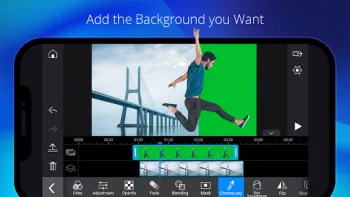
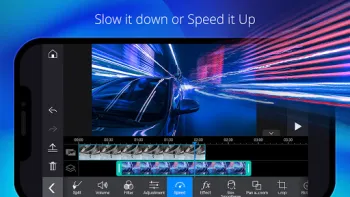
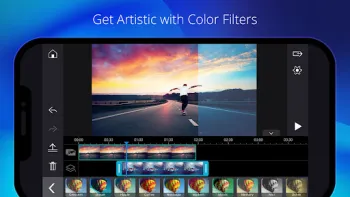
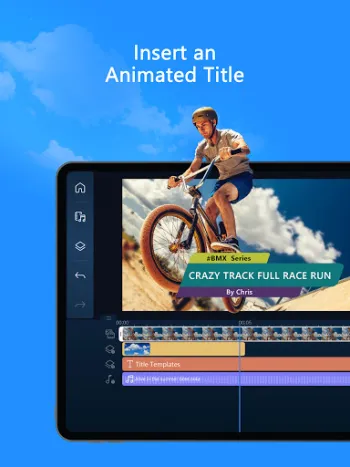
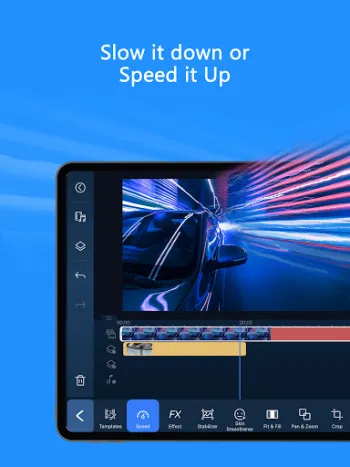
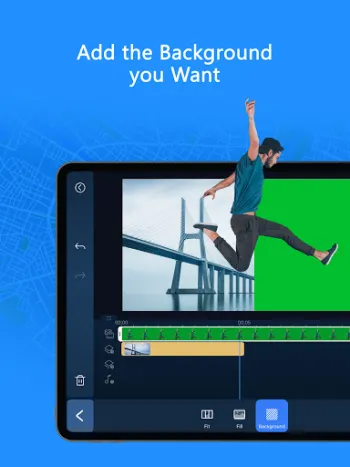
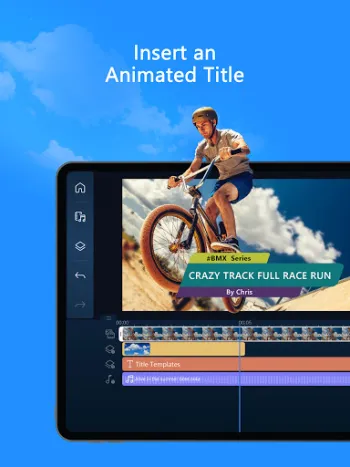
To accommodate the diverse spectrum of video editors from novices to seasoned professionals, modern mobile video editors must balance complexity with intuitiveness. This is where PowerDirector excels by providing a broad array of editing tools that remain accessible regardless of a user’s experience. At its core, the app offers foundational video manipulation capabilities like trimming, cutting, splicing, and rotation—operations critical to video storytelling and pacing. These tools leverage optimized algorithms for frame-accurate editing and smooth real-time previews on mobile processors, ensuring precision without lag. Beyond the basics, novices can harness thousands of free templates, effects, and filters integrated within the app, which provide predefined aesthetic and thematic frameworks that transform raw footage into polished clips with minimal manual adjustment. The filters range from color grading presets to stylistic visual effects, which enhance the mood and tone of videos, while transitions such as fades and wipes maintain narrative continuity between scenes. Music insertion capabilities further enrich the storytelling canvas; users can add background scores aligned rhythmically with cuts or visual beats to evoke emotions or maintain viewer interest. Animations and dynamic text tools allow the incorporation of captions, titles, and motion typography that are vital for branding, explanation, and increased viewer retention, particularly on social media platforms. The app also enables video and photo collages, layering multimedia elements in compelling layouts that serve both narrative and promotional purposes. Speed adjustment options facilitate the creation of slow-motion or fast-forward effects that highlight critical moments or compress time-sensitive sequences, techniques widely appreciated in sports or tutorial content. One particularly advanced yet user-friendly feature is background removal, which, unlike traditional chroma key requiring specific green screen setups, uses AI to distinguish foreground from background dynamically, providing flexibility in shooting locations and creativity in post-production replacement. Transition and effect customization have been designed with intuitive touch gestures and sliders, so even casual users can fine-tune parameters like opacity, intensity, and motion path without deep technical knowledge. The app’s interface abstracts complex processes, but still allows granular control for those wanting precision adjustments. For example, a beginner user capturing travel vlogs can quickly apply a sunset filter, add upbeat music, trim unnecessary parts, apply motion titles to highlight places, and export the video within minutes, whereas a professional might use the same toolkit but meticulously layer multi-track clips with keyframed animations and custom color correction for cinematic output. Overall, PowerDirector balances technical sophistication and ease of use, enabling efficient content creation regardless of skill level or goals.
Professional-Grade Editing Features for Content Creators
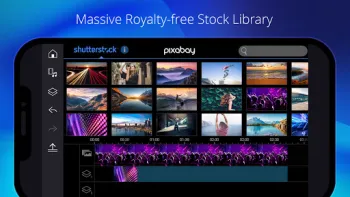
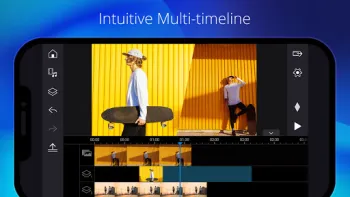
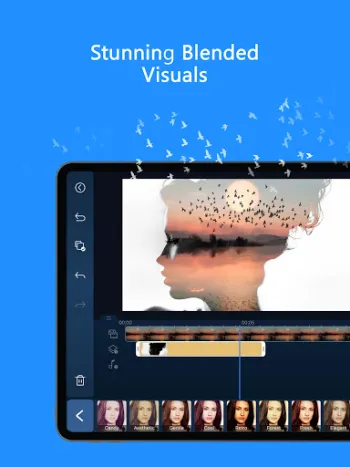
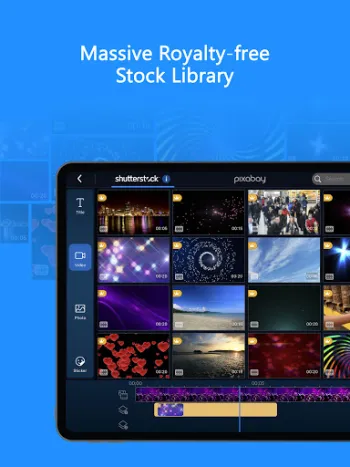
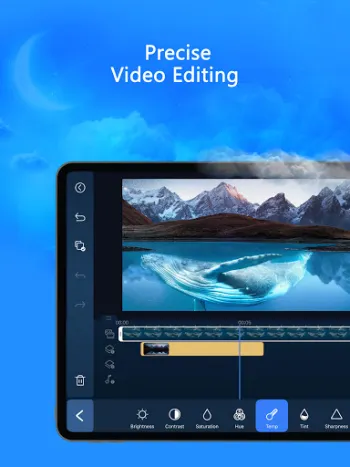
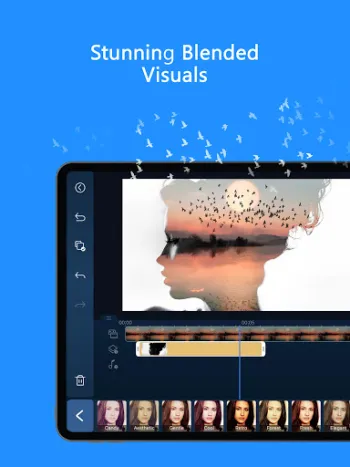
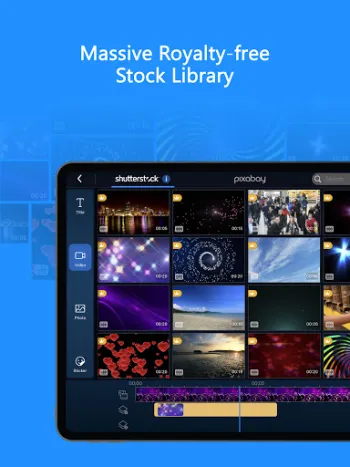
Content creators operating at a professional level demand tools that provide complete creative control and robust editing capabilities capable of meeting the rigorous standards of broadcast, film, or digital media production. PowerDirector addresses this requirement by integrating a rich suite of advanced features typically available only in desktop-class video editors, all optimized for mobile environments. The ability to fine-tune visual parameters such as brightness, color balance, and saturation gives editors precise control over the aesthetic and mood of their videos—fundamental to achieving consistent branding and emotional impact. These adjustments rely on color science algorithms that process video frames in real-time, delivering immediate feedback and supporting high dynamic range (HDR) footage to maintain image quality even under extreme lighting conditions. Green screen editing expands the creative horizon by facilitating chroma key compositing, wherein users can replace flat green or blue backgrounds with custom images or video layers. This technique, traditionally reserved for studio settings, becomes accessible to mobile users thanks to power-efficient keying algorithms that minimize color spill and aliasing artifacts during subject-background separation. The video stabilizer is another crucial professional tool that compensates for the shakiness inherent in handheld shooting; it utilizes motion estimation and frame interpolation to produce smooth, cinematic footage without requiring specialized hardware. Voiceover recording capabilities embedded inside the app allow creators to narrate or comment in real time, supporting multi-track layering to synchronize audio with visual content. Video overlays implement complex double exposure or picture-in-picture effects by compositing multiple video layers with user-defined opacity, rotation, scale, and position, all controllable via intuitive keyframe animations. These keyframe controls empower editors to define temporal variations in attributes, essential for creating motion graphics sequences, dynamic masks, and transitions that evolve over time. Integral to professional workflows, the app includes a built-in media library stocked with royalty-free music, sound effects, images, and stock footage, streamlining asset sourcing and ensuring licensing compliance. Customizable templates accelerate the creation of intros, outros, lower-thirds, and other branded elements, critical for maintaining identity in serialized content. The ability to perform such comprehensive edits on mobile devices marks a significant advancement in accessibility and creative freedom, enabling creators to produce broadcast-ready quality content without the constraints of desktop setups. The app’s architecture is designed to optimize processing resources while maintaining high resolution and frame rates, ensuring the final output meets the demands of professional distribution platforms and standards. In practical application, a documentary filmmaker might use PowerDirector’s layered keyframing to skillfully reveal interviewees against custom backgrounds, stabilize footage from handheld cameras that were shot in dynamic environments, and precisely color grade scenes to match different lighting settings—all while on location with just a smartphone or tablet. Such breadth and depth of editing potential confirm the app’s positioning as a professional-grade mobile video editor.
Seamless Integration of AI and User-Friendly Interface Design
The dual challenge for mobile video editing apps is to incorporate cutting-edge AI technologies without sacrificing user-friendliness and operational fluidity for end users. PowerDirector achieves this balance through a thoughtfully designed interface that abstracts the complexity of its AI functionalities behind intuitive tools and guided experiences. The AI Auto Edit feature works almost invisibly in the background, allowing users to benefit instantly from intelligent clip selection and montage without requiring deep technical knowledge. This is made possible by a combination of convolutional neural networks (CNNs) for visual pattern recognition and temporal analysis to ascertain highlight-worthy moments across footage sequences. Users can activate this mode with a single tap, letting the AI curate their clips into professional-looking edits drawing from its extensive template repository. At the same time, manual override options are presented for editors who wish to refine AI decisions, preserving creative freedom. Other AI utilities such as AI Speech-to-Text and AI Auto Caption employ natural language processing (NLP) to transcribe spoken words accurately and generate synchronized subtitles, which are vital for accessibility and audience engagement on silent autoplay platforms like Instagram and Facebook. The AI Voice Changer function introduces voice modulation by transforming pitch, timbre, and resonance parameters through specialized deep learning vocal synthesis techniques, enabling creators to experiment with character voices or anonymize narrations. These AI tasks are optimized to run efficiently on mobile hardware, leveraging the device’s neural processing units (NPUs) when available to accelerate inference and minimize battery drain. User interface design emphasizes gesture-based inputs, drag-and-drop timelines, and live preview windows to keep editing workflows smooth and responsive. For example, adjusting the speed of a clip uses a slider control directly on the timeline, providing immediate visual and playback feedback. Background removal and smart cutout are accessible via simple selection tools powered by AI semantic segmentation masks, so detailed manual masking is typically unnecessary. Transition effects and filters are previewed live as thumbnails for rapid trial, aiding decision-making. The app adopts modularity in its design, allowing users to customize their workspace according to project needs and preferred tools, thus enhancing productivity and comfort. Help and support are integrated contextually, guiding users through complex processes with tutorials and tips, which reduces learning curves significantly. This harmonious integration of sophisticated AI with an accessible interface ensures that PowerDirector remains approachable to beginners while empowering advanced users capable of unlocking the full potential of AI-enhanced mobile video editing technology.
Access and Subscription Benefits for a Premium Experience
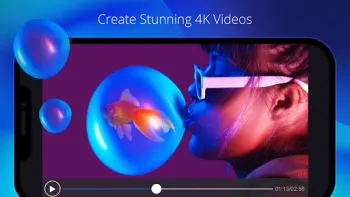
The economic model underlying professional mobile video editors often includes premium subscription tiers that unlock extended content libraries, advanced features, and ad-free environments essential for uninterrupted creative work. PowerDirector’s premium benefits package exemplifies this approach, granting users exclusive access to a wealth of content and tools that significantly enhance production value and streamline creative workflows. Subscribers gain entry to an expansive, royalty-free stock media library featuring over 1,500 music tracks, photos, stickers, video clips, and sound effects, licensed for commercial use—crucial for content creators who monetize their videos through platforms like YouTube, TikTok, or branded marketing campaigns. The availability of professionally curated filters, motion titles, and transitions within the premium unlocks the ability to maintain a distinctive and consistent visual identity, which is important for building brand recognition and audience loyalty. Additionally, premium users benefit from the removal of advertisements and interruptions that can degrade the editing experience, especially during extended sessions requiring concentration and precise adjustments. The subscription also enables the use of enhanced AI modules and processing speed boosts, reducing render times and facilitating the handling of higher-resolution footage such as 4K videos. From a practical standpoint, a professional content creator working on a serialized digital show can leverage these resources to create unique intros and outros using premium motion titles and overlay them on multi-layered visuals acquired from the stock library, thus amplifying production quality without the need for external asset sourcing or designing. Moreover, the commercial licensing aspect ensures that revenue-generating content is compliant with copyright regulations, mitigating legal risks associated with using unlicensed material. The app ecosystem encourages learning and inspiration by connecting users to active communities and official social media channels, where creators share tips, trends, and creative projects, accelerating skill development and innovation. Financially, the subscription model reflects the investment in continuous development, AI research, and content expansion by the developer team, which benefits end users through regular updates and feature rollouts. Thus, subscribing to premium not only enhances the functional capabilities of PowerDirector but also supports a sustainable platform for professional creators who rely on consistent quality, reliability, and access to state-of-the-art editing technologies. For those interested in exploring this cutting-edge mobile video editor, the application can be seamlessly obtained on multiple platforms, including Android and iPhone devices, by accessing Download for Android or Download for iPhone, enabling immediate immersion into professional mobile video editing with AI-enhanced tools and premium content.
Share Your Opinion
Your Email Will Not Be Published.
















All Rights Reserved © Apps Zone 2026
Brandon Whyde
Phenomenal. I never rate stuff. But I must say I love this app. it's very easy to edit videos and make little movies and what not. I've been using ...
Lloyd Reed
It's pretty good! It was simple for me to understand after a little toggling. It's pretty generous with rewards (like free trials for premium, and ...
B. Guilty
I've used Powerdirector for years, off & on. A little less ever since a certain app hit the scene. They've come a long way since 2015. However, the...
J'aime O'Neill
I have Premium, and it's a great product. A few requests? Lighting effects would be awesome, like flashing, heavy lightning, big explosions, etc. f...
Tony Oshur
Charged me 15 credits for each photo to AI video, which did not generate properly. I got my credits back after numerous messages, but don't sell so...